Catch costly mistakes
Identify extreme discounts, zero prices and prices below your limits in manual edits, bulk updates and imports.
Awaiting Shopware Store approval
One misplaced decimal. One incorrect import. Thousands of wrong prices. PriceGuard helps catch dangerous product price changes in Shopware before a small mistake becomes an expensive order.
Expected release: September/October 2026
PRICE CHANGE / EXAMPLE
The limit is 50%. Monitor mode allows the €10 price and records the violation for review.
Try the two protection modes
Illustration with a 50% limit and example prices. No live shop data.
Identify extreme discounts, zero prices and prices below your limits in manual edits, bulk updates and imports.
Set a minimum selling price, compare with purchase costs and define the minimum margin your business needs.
Monitor first, review the results, then switch to Block mode when your rules are right for your shop.
FIVE PRICE PROTECTION RULES
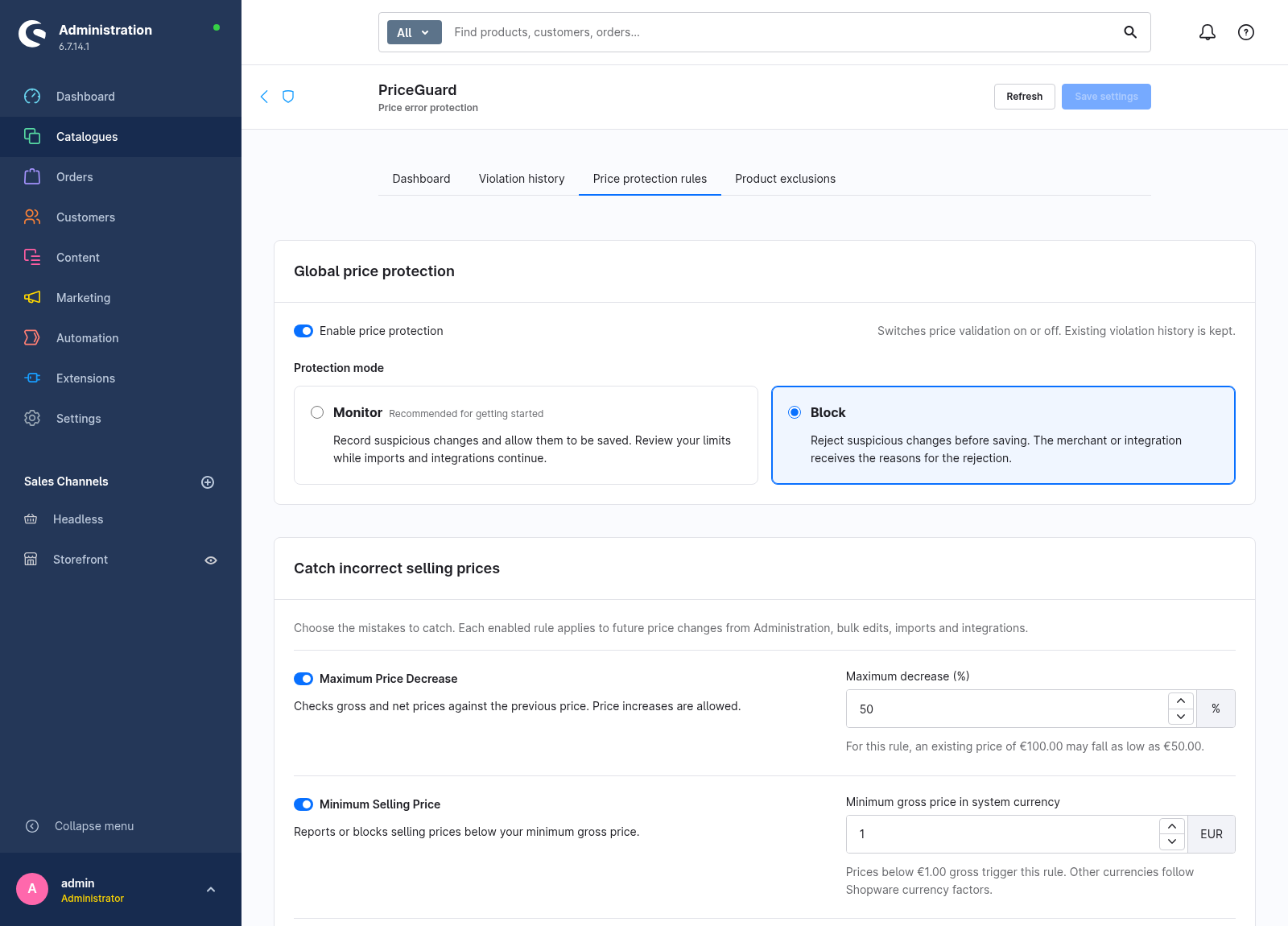
Choose which rules to enable and set their limits. A price change can trigger more than one rule; PriceGuard shows the relevant reasons together.
Flag or block a reduction that exceeds your percentage limit. With a 50% limit, €100 → €50 is allowed; €100 → €40 is a violation. Increases do not trigger this rule.
Set a floor for the gross selling price. A minimum of €1.00 catches a price of €0.49. The threshold is set in your system currency and converted for other currencies.
Catch gross or net prices that are zero or negative before an accidental free product reaches customers in Block mode.
Check that the net selling price is not lower than a positive net purchase price in the same currency. If a meaningful purchase price is missing, this comparison is skipped.
Set the minimum margin you need. A net selling price of €100 and net purchase price of €80 gives a 20% margin. A required margin of 25% flags or blocks that price.
A SAFE START
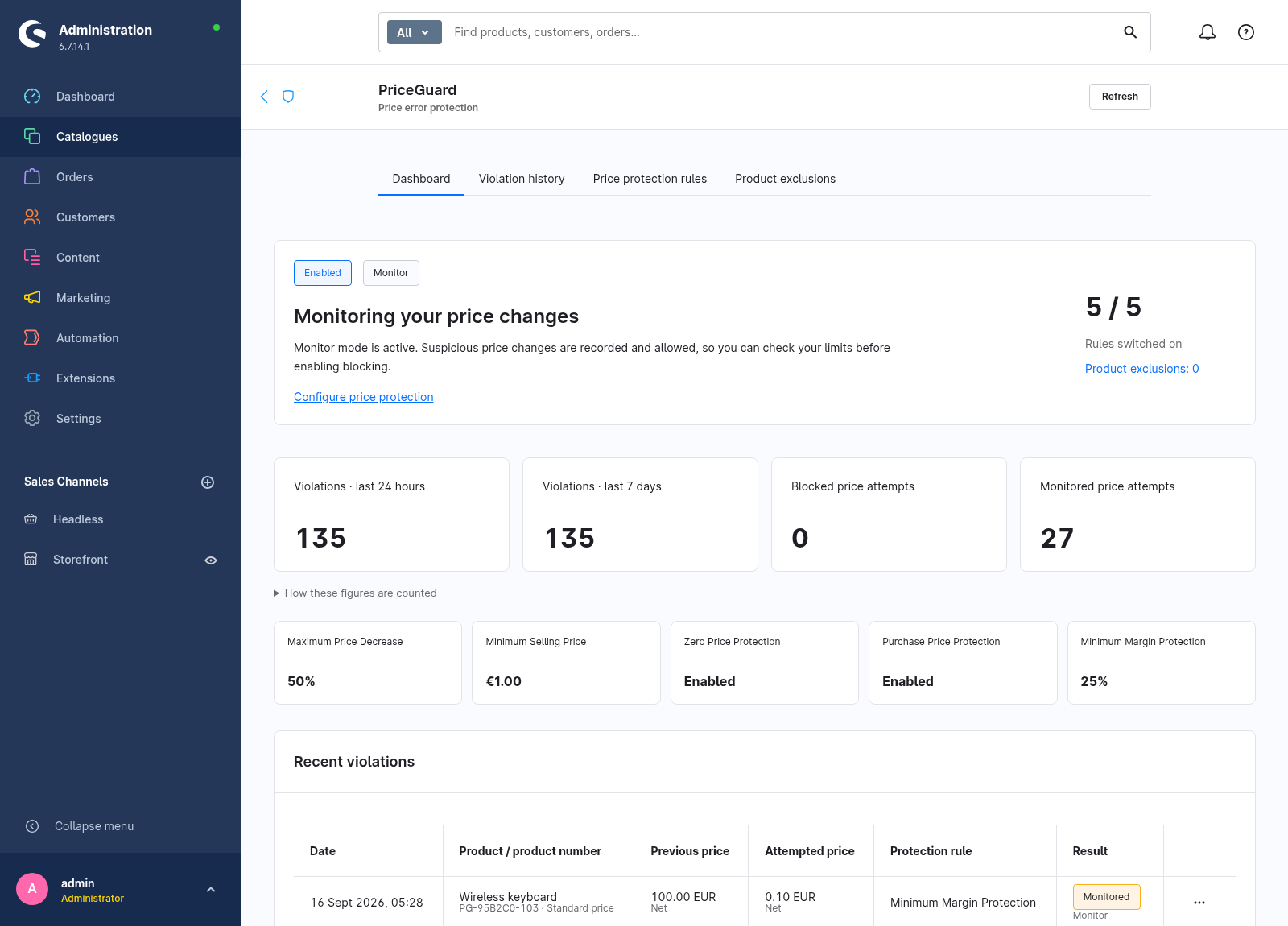
Installation starts with PriceGuard enabled in Monitor mode. Your ERP or PIM updates can continue while you see which price changes would break your rules.
Allow the price change and record the violation. Use the dashboard and history to understand your normal updates and adjust your limits.
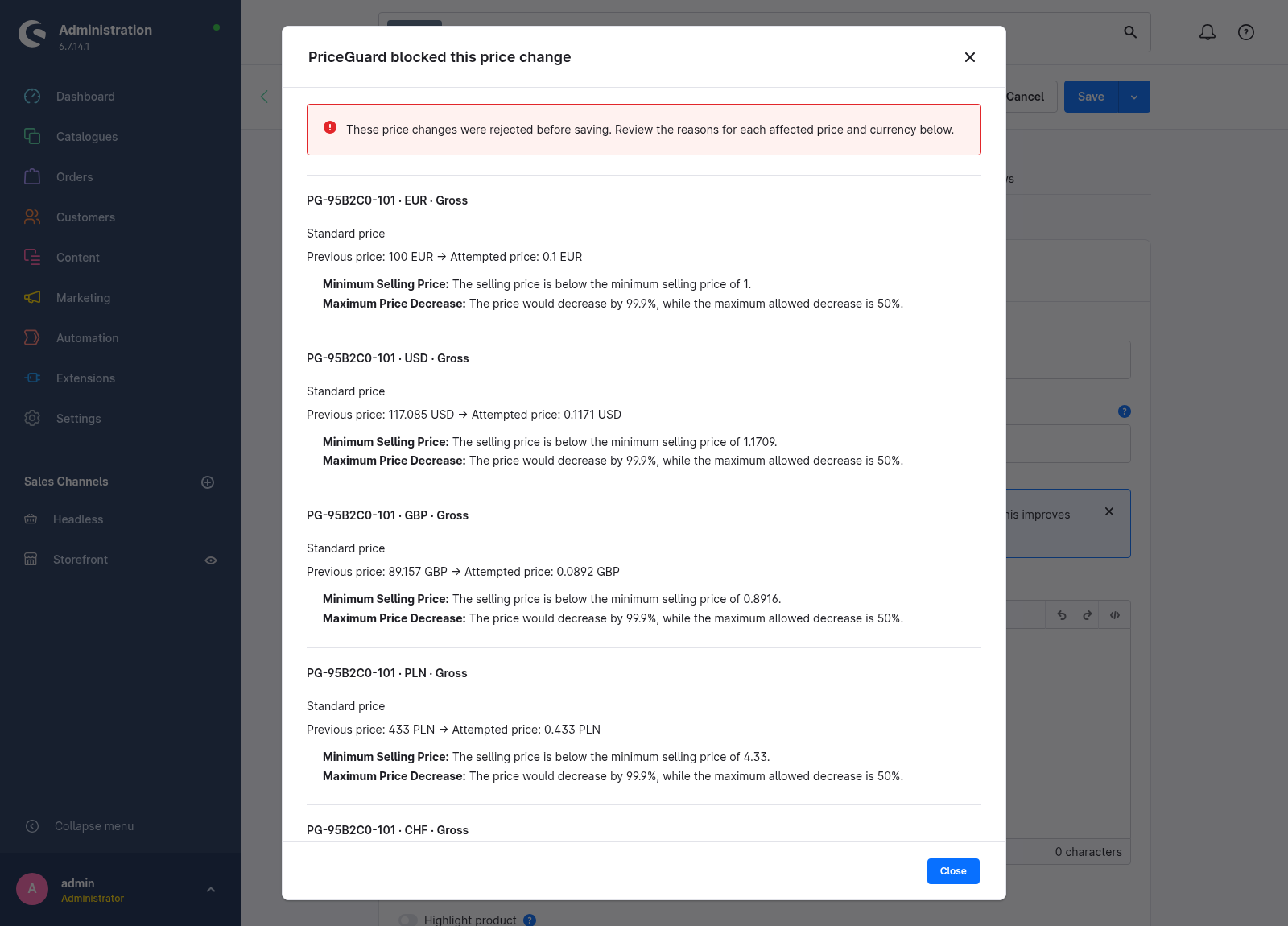
Reject a violating change before it is saved, with a clear explanation. A rejected bulk operation follows Shopware’s transaction boundaries; one invalid price can reject a batch.
For a deliberate clearance price, save a product exclusion with a reason before changing the price. Restore protection when the exception is no longer needed.
A familiar Shopware Administration interface: your protection status, recent violations and rules in one place. These previews use example data and the English interface; PriceGuard also includes German.
WHERE MISTAKES HAPPEN
A manual decimal error or an unintended bulk discount can affect one product or a whole range. The same configured price checks apply.
Review suspicious price imports in Monitor mode, or reject violating writes in Block mode. PriceGuard checks changes as Shopware receives them.
Use the same price limits for connected systems that save through Shopware’s standard interfaces. Integrations do not receive an automatic bypass.
BLACK FRIDAY / BLACK WEEK
Black Friday and Black Week often mean updating thousands of prices at once. PriceGuard helps identify extreme discounts, zero prices, prices below purchase cost and margins below your limits. Start monitoring ahead of the campaign so you can review the results before enabling blocking.
The same protection is useful all year for supplier updates, clearance stock and routine ERP synchronizations. Promotional discounts and voucher calculations are outside the product-price checks.
PriceGuard handles standard prices, currency prices, parent products and variants. Inherited values are resolved before comparison. Purchase price and margin checks compare net with net in the same currency.
Rule-based prices and quantity tiers receive the applicable minimum price, zero price, purchase cost and margin checks. A percentage decrease is compared only when the same tier has an unambiguous previous price.
Filter violations by product, product number, rule, result, date or currency. Review previous and attempted prices, the reason and whether the change was blocked or monitored. History is retained for 180 days.
Margin, not markup
Margin = ((net selling price − net purchase price) / net selling price) × 100
Selling at €100 with a purchase cost of €80 gives a 20% margin. Missing or non-positive purchase costs are skipped; they are not treated as zero.
PRICEGUARD QUESTIONS
PriceGuard is awaiting approval in the Shopware Store. Release is expected in September/October 2026, subject to approval. The Store link and pricing will be added when the listing is available.
Version 1.0.0 targets Shopware 6.7, starting with 6.7.0. It is a PHP plugin for self-hosted Shopware, with an English and German interface. It is not a Shopware SaaS app and does not target Shopware 6.6 or 6.8.
PriceGuard starts in Monitor mode. Violations are recorded while price changes remain allowed. Blocking only starts when you select Block mode. Switching the plugin off stops validation and keeps the existing history.
Yes. Exclude the specific product with a reason before changing its price. An exclusion does not automatically apply to its variants, so include any variants that need the same exception.
It validates supported product-price writes through Shopware, including standard API integrations and imports. A connector that writes directly to the database is outside this protection.
PriceGuard does not calculate new prices, rewrite your catalogue or change cart and checkout calculations. It checks future product-price changes. Promotions, voucher discounts, list prices and regulation prices are outside its validation scope.
PriceGuard is awaiting Shopware Store approval. Release is expected in September/October 2026, subject to approval. Purchase details and pricing will follow with the Store listing.
Ask about PriceGuardAwaiting Shopware Store approval · Expected release: September/October 2026
BYSTENILD / SHOPWARE
Product 404 Redirects is already available in the Shopware Store. Give visitors a useful destination when a product has been deleted.
Explore Product 404 Redirects