Shopware product redirects
Choose the destination, configure the plugin and test each storefront.
Product 404 Redirects is available in the Shopware Store. Redirect deleted product URLs to categories, review rules in the administration and explain the redirect with an optional visitor notice.
/sneakers/
Illustration of a redirect to a relevant category. No live store data.
The Problem
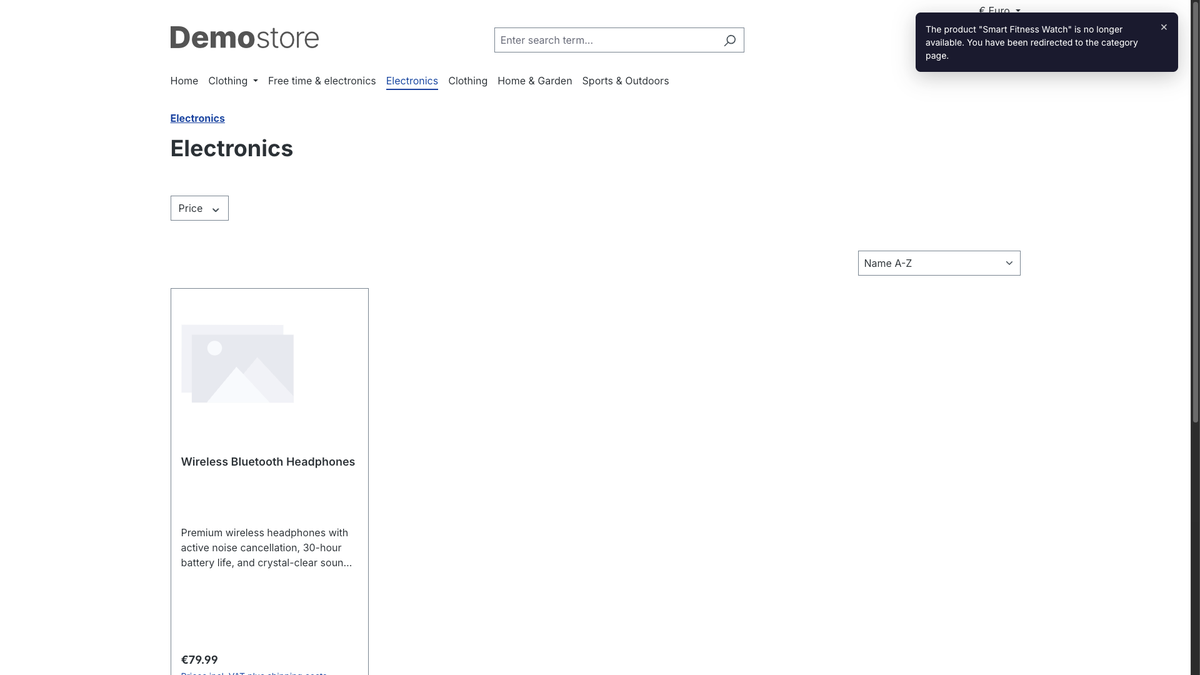
Search results, old social posts, and bookmarks can still point to a deleted product. A relevant category can give visitors a useful next step. A 301 redirect makes sense when the destination is relevant; a normal 404 is appropriate when no suitable replacement exists.
A product can disappear from your catalogue while its URL remains in search results, newsletters and bookmarks.
A direct replacement or a relevant category can help the visitor continue. A genuine 404 is appropriate when no useful replacement exists.
A redirect is a technical response. It does not prove a recovered sale or guarantee search rankings.
Product 404 Redirects
A relevant 301 redirect signals a permanent move. Review targets and avoid chains or blanket redirects unrelated to the original product.
Saved mappings, Shopware SEO URL records and history help resolve known product URLs. Matching an old URL depends on the data still available.
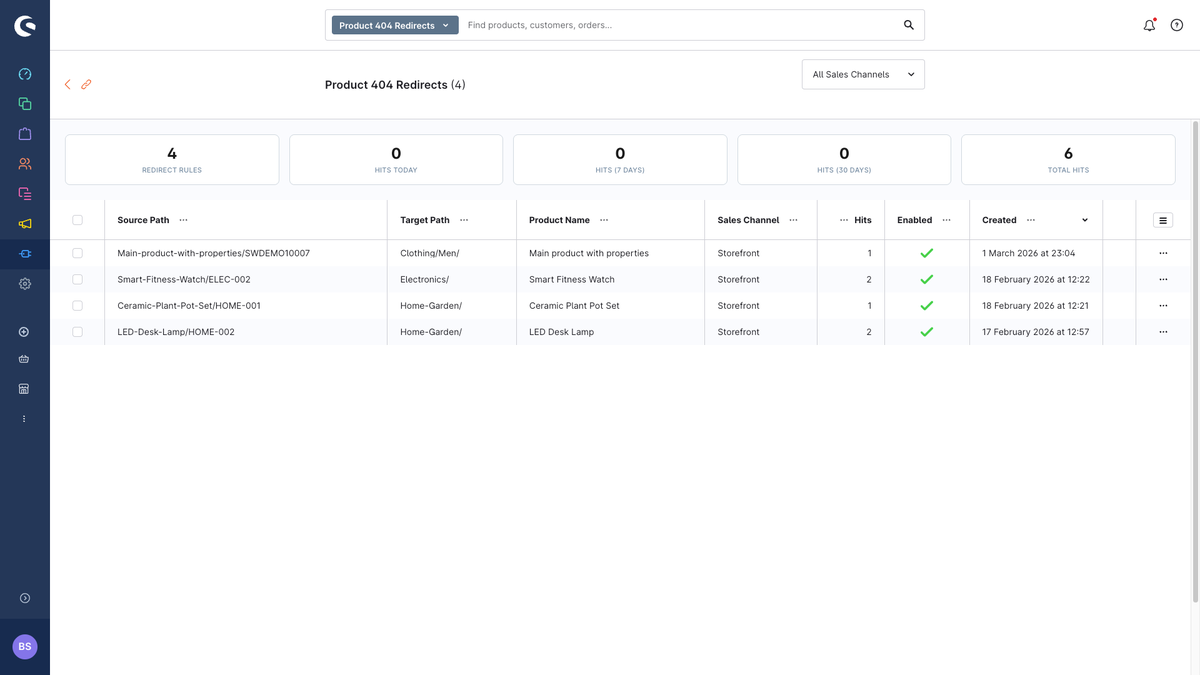
Review source, target, sales channel and hit count in the administration. Change destinations, enable or disable rules and remove outdated mappings.
The plugin includes English and German translations and an optional storefront message with the product name and configurable duration.
Rules are created for storefront sales channels; headless channels are skipped. The homepage fallback can be disabled so an unmatched URL keeps a genuine 404 response.
The current changelog describes redirect logs without user agents or IP hashes and a 30-day default retention. Older descriptive text in the Store lists different values.
Product 404 Redirects
The current releases handle redirects through a Shopware SEO resolver decorator, as documented in the changelog.
Get the matching release from the Shopware Store: 1.1.0 for Shopware 6.7.12.0 and later 6.7 versions, or 0.1.2 for Shopware 6.6.0.0 and later 6.6 versions. For Shopware 6.7 versions before 6.7.12.0, select an older compatible plugin release in the Store.
Open Extensions → My Extensions in the administration, install and activate the plugin, then clear the cache.
Check redirects, visitor notice, fallback and log retention. Prefer a relevant category to a general homepage wherever possible.
Use a test product and save its URL before deletion. Verify the rule, destination and HTTP status in the relevant languages and sales channels.
Product 404 Redirects
Information checked on 16 September 2026. The Shopware Store is the source for current terms and exact compatibility.
Version 0.1.2 supports the Shopware 6.6 series from 6.6.0.0; version 1.1.0 supports the 6.7 series from 6.7.12.0. They were tested on 6.6.10.25 and 6.7.14.1 respectively, and both are listed in the Store. The packages remain limited to their own Shopware series.
€4.99 per month or €29.99 per year, excluding VAT, with a free trial month according to the Store. Purchase and current terms are handled by Shopware.
For Shopware storefront sales channels, with an English and German interface. Use the PHP version and dependencies required by your Shopware release. The optional visitor notice uses a Secure cookie and requires HTTPS.
Choose the destination, configure the plugin and test each storefront.
A technical case with nine isolated resolver checks.
See status codes, redirect hops and the final address.
Product 404 Redirects
Released on 16 September 2026. These notes cover the changes in each update.
SHOPWARE STORE
Product 404 Redirects was published on 2 July 2026. Find the current release, changelog and subscription terms in the Shopware Store.
Get it from the Shopware StoreAlso Available
Product 404 Redirects is also available for Shopify and WooCommerce. Same goal - recover every dead product link - built natively for each platform.

The same app for Shopify stores. Automatically redirects deleted product URLs to relevant collection pages via the Shopify App Store.

The same plugin for WordPress and WooCommerce stores. Hooks into WordPress at the template_redirect stage with full WooCommerce HPOS compatibility.
Looking for plugins on other platforms? View all platforms
Install through the Shopware Store, or contact me with questions about your installation.
Install through the Shopware Store, or contact me with questions about your installation.