Read the guide
Redirects, alternatives and a practical verification checklist for your store.
Product 404 Redirects creates a native Shopify 301 redirect when a product is deleted, sending old links to its collection. Review the destination so visitors reach a useful next page.
/collections/sneakers
Illustration of a redirect to a relevant category. No live store data.
The Problem
Search results, old social posts, and bookmarks can still point to a deleted product. A relevant category can give visitors a useful next step. A 301 redirect makes sense when the destination is relevant; a normal 404 is appropriate when no suitable replacement exists.
A product can disappear from your catalogue while its URL remains in search results, newsletters and bookmarks.
A direct replacement or a relevant category can help the visitor continue. A genuine 404 is appropriate when no useful replacement exists.
A redirect is a technical response. It does not prove a recovered sale or guarantee search rankings.
Product 404 Redirects
A relevant 301 redirect signals a permanent move. Review targets and avoid chains or blanket redirects unrelated to the original product.
The app creates redirects from an old product URL to its collection. It is designed for ongoing catalogue deletions.
Redirects use Shopify’s native URL system. The redirect does not require a theme extension or an app proxy.
Use the redirect overview and settings to check the result, especially for products in multiple collections and destination pages that change later.
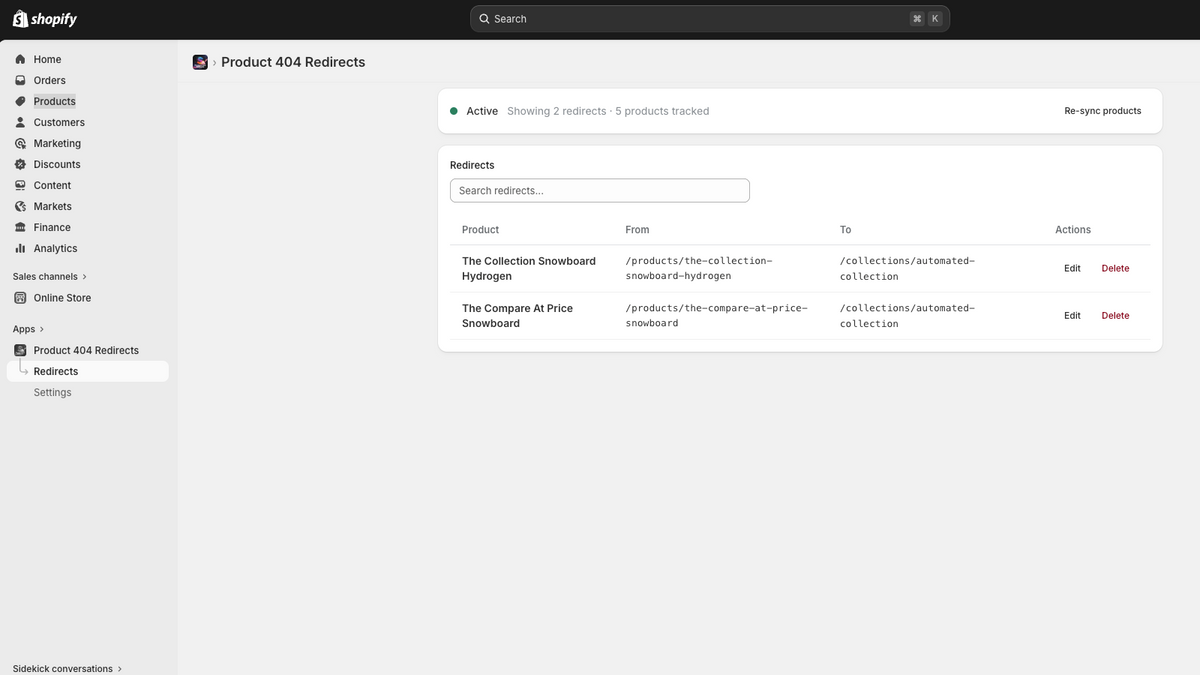
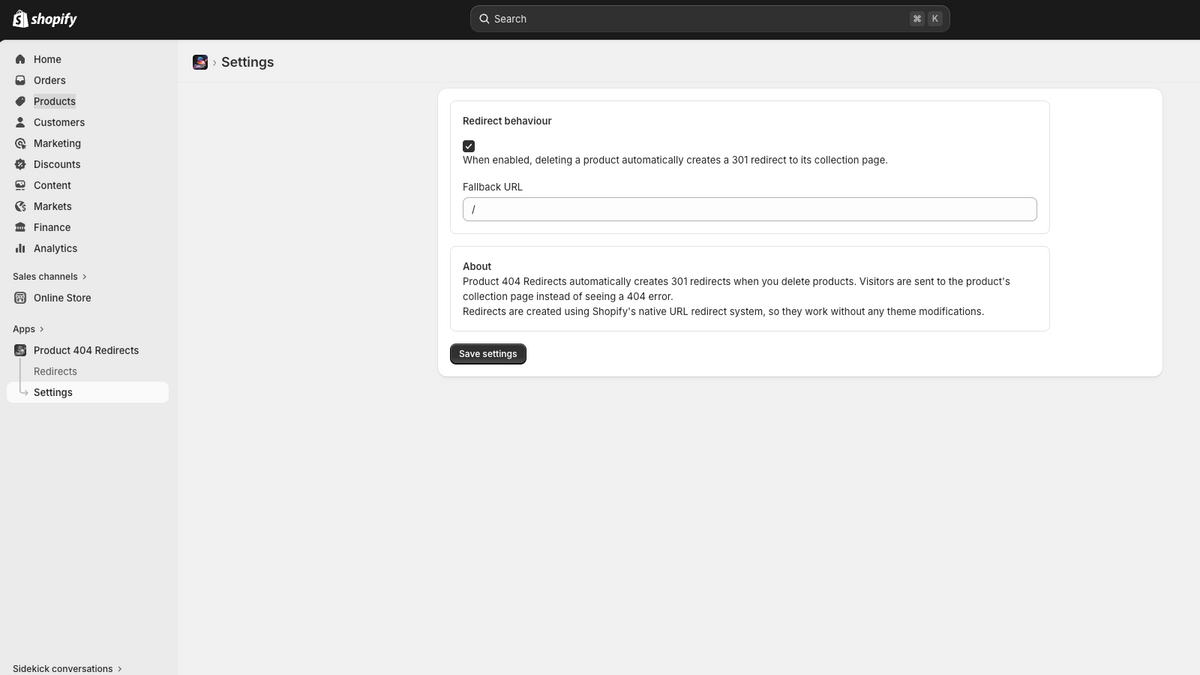
Product 404 Redirects
Start with a test product before changing your real catalogue.
Review the permissions and subscription terms. The app uses product and collection information and access to URL redirects.
Use a product and collection created for the test. Save the product URL and confirm that the collection is available in the storefront.
Check the rule in Shopify, then open the old URL as a signed-out visitor. Verify both the destination and HTTP response.
Review redirects when collections change. Previously deleted products without available data may need manual rules.
Product 404 Redirects
Check the App Store’s current compatibility information for your shop. The app interface is in English.
These redirects concern storefront URLs. Shopify’s native redirects do not override a product URL that still serves an active page.
Review other redirect apps and workflows so multiple tools do not change the same source URL. Test market and language variants separately.
Shopify also supports manual redirects. Flow can implement custom rules. Choose this app when automatic product-to-collection handling fits your requirement.
Redirects, alternatives and a practical verification checklist for your store.
Current pricing, compatibility, installation and support terms.
Product 404 Redirects for Shopify is live and ready to install. Get it from the official Shopify App Store and start recovering lost traffic today.
Install from Shopify App StoreUS$2.99/month or US$29.99/year. Includes a 7-day free trial. Confirm current pricing in the Shopify App Store.
Also Available
Product 404 Redirects is also available for WooCommerce and Shopware 6. Same goal - recover every dead product link - built natively for each platform.

The same plugin for WooCommerce stores. Hooks into WordPress at the template_redirect stage with intelligent category matching and HPOS compatibility.

The Shopware version uses the current SEO resolver and includes rule management, statistics and an optional visitor notice.
Looking for plugins on other platforms? View all platforms
Install it now from the Shopify App Store and start recovering lost traffic immediately. Have questions or need a custom Shopify app built for your store? Let's talk.
Need something more custom? Explore my consulting services